ברבוBravo

אימון שמרגיש
כמו משחק

Practice that
feels like play

מספרים, עברית ואנגלית לילדים בגיל כיתה א׳. ינשוף-מאמן מדבר אל הילד, מעודד, ועולה רמה יחד איתו — גם לפני שהוא יודע לקרוא.

Numbers, Hebrew and English for children around first grade. An owl coach talks to your child, cheers them on and moves up a level with them — even before they can read.

להתחיל 14 ימים חינםStart 14 days free

בלי כרטיס אשראי · בטלפון, בטאבלט ובמחשב

No card needed · on phone, tablet and computer
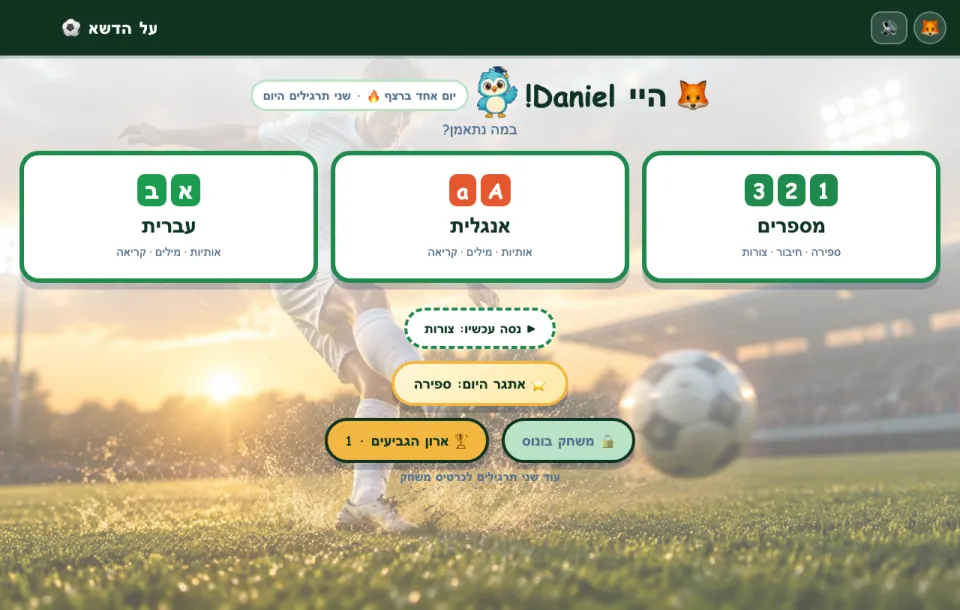
מסך הבית של ברבו

כל מה שילד צריך כדי להתחיל לקרוא ולחשב

Everything a child needs to start reading and counting

שלושה תחומים, עשרות תרגילים, וכל שאלה נאמרת בקול — כך שגם ילד שעוד לא קורא מסתדר לבד.

Three areas, dozens of drills, and every question spoken aloud — so a child who cannot read yet manages on their own.

🔢

מספרים

Numbers

ספירה, חיבור וחיסור, השלמה לעשר, צורות, שעון — ותרגיל "מתח קו" שבו מחברים בקו כל תמונה למספר שלה.

Counting, adding and taking away, making ten, shapes, telling the time — and "connect the pairs", drawing a line from each picture to its number.

אב

עברית

Hebrew

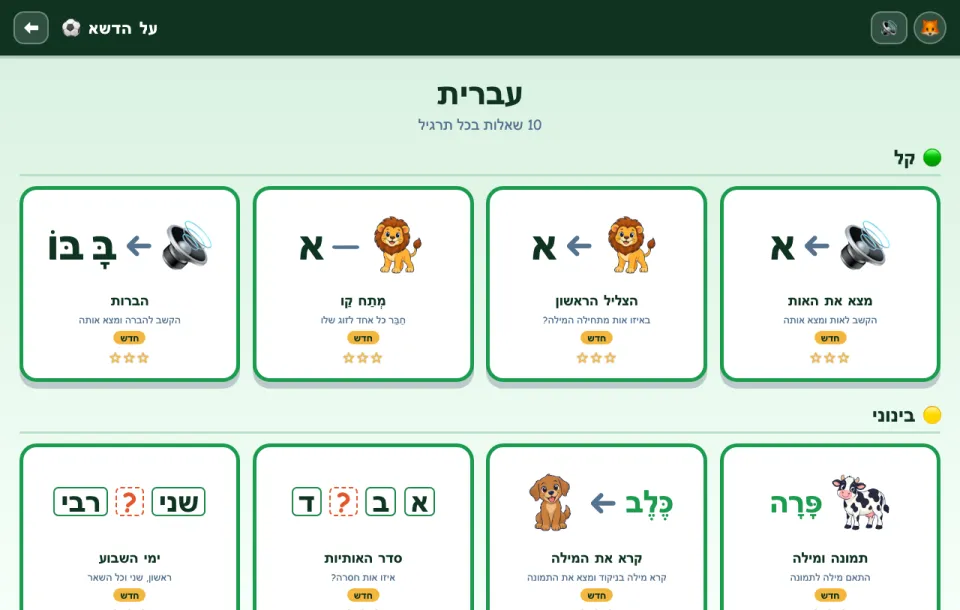
אותיות, הצליל הראשון, ניקוד, הברות וקריאת מילים — בקול חם שמבטא כל אות כמו בבית הספר.

Letters, first sounds, vowel marks (ניקוד), syllables and reading words — in a warm voice that says every letter the way school does.

Aa

אנגלית

English

אותיות גדולות וקטנות, מילים ותמונות, חרוזים וימי השבוע — אנגלית מתוך העברית שהילד כבר מדבר.

Capital and small letters, words and pictures, rhymes and the days of the week — English bridged from the Hebrew the child already speaks.

רוצים לחזור מחר

They want to come back tomorrow

  • ינשוף-מאמן שמגיב לכל תשובה, ותמיד נותן עוד ניסיון
  • גביעים, כוכבים ורצף ימים — יש תמיד משהו קרוב לזכות בו
  • משחק בונוס שנפתח אחרי תרגול, ושמונה עולמות לבחירה: ים, חלל, דינוזאורים, כדורגל ועוד
  • הרמה עולה מעצמה כשהילד מצליח, ויורדת בעדינות כשקשה
  • An owl coach who answers every try, and always gives another go
  • Trophies, stars and day streaks — there is always one just in reach
  • A bonus game unlocked by practising, and eight worlds to choose from: ocean, space, dinosaurs, football and more
  • Levels go up by themselves when your child is doing well, and ease off when it gets hard

להורים: שקט נפשי

For parents: peace of mind

  • בלי פרסומות ובלי קניות בתוך האפליקציה לילדים
  • עובד גם בלי אינטרנט — באוטו, בטיסה, אצל סבתא
  • הפרטיות של הילד נשארת בבית: כל ההתקדמות נשמרת במכשיר ולא נשלחת לשום מקום
  • דוח להורים לפי ימים, כולל השאלות שהילד טעה בהן
  • כמה ילדים על אותו מכשיר, כל אחד עם הפרופיל והקצב שלו
  • No ads, and nothing for children to buy
  • Works with no internet — in the car, on a plane, at grandma’s
  • Your child’s privacy stays at home: all progress is kept on the device and never sent anywhere
  • A report for parents by day, including the questions your child got wrong
  • Several children on one device, each with their own profile and pace

פשוט להתחיל

Simple to start

חינם בתקופת ההשקה

Free while we launch

פותחים ומשחקים. בלי הרשמה ובלי כרטיס אשראי.

Open it and play. No sign-up and no card.

  • כל התחומים וכל העולמות
  • טלפון, טאבלט ומחשב
  • עובד גם בלי אינטרנט
  • Every area and every world
  • Phone, tablet and computer
  • Works with no internet too
להתחיל עכשיוStart now

שאלות נפוצות

Questions

לאיזה גיל זה מתאים?

לילדים שמתחילים לקרוא ולחשב — בערך מסוף גן חובה ועד סוף כיתה א׳. התרגילים מתאימים את עצמם לרמה של כל ילד.

הילד שלי עוד לא יודע לקרוא. זה בסדר?

בהחלט. כל שאלה נאמרת בקול, וכל כפתור אומר את שמו כשמצביעים עליו או לוחצים עליו לחיצה ארוכה.

צריך להתקין משהו?

לא. פותחים את ברבו בדפדפן, ואפשר להוסיף אותו למסך הבית של הטלפון או הטאבלט כמו אפליקציה. אחרי הפעם הראשונה הוא עובד גם בלי אינטרנט.

איזה מידע אתם שומרים?

בתקופת ההשקה אין הרשמה, ולא נשמר אצלנו שום מידע. ההתקדמות של הילד נשמרת במכשיר בלבד. פרטים מלאים במדיניות הפרטיות.

What age is it for?

Children who are starting to read and count — roughly from the last year of kindergarten to the end of first grade. The drills adjust to each child’s level.

My child cannot read yet. Is that all right?

Absolutely. Every question is spoken aloud, and every button says its name when pointed at or pressed and held.

Is there anything to install?

No. Bravo opens in the browser, and can be added to the home screen of a phone or tablet like an app. After the first time it works with no internet too.

What information do you keep?

While we launch there is no sign-up, and we keep nothing. Your child’s progress stays on the device. The details are in the privacy policy.